
If you have a website, you’ve probably come across this error at some point. Suddenly, when you load your site, the Error 429: Too Many Requests and the content cannot be viewed in any way. This is part of the HTTP status codes that the web servers they use to communicate with customers. Examples include the 3xx status codes, which identify redirects, and the 4xx codes, which indicate a number of errors.
As their names suggest, the call signs 429 status code This essentially means that a website is exceeding its request limit or, in other words, is experiencing spikes in traffic or access requests. This error can be serious because it also blocks the admin panel, rendering the site inaccessible.
However, in this article we will explain How to fix error 429 And, above all, we’ll give you the information you need to put preventative measures in place. As the saying goes, prevention is better than cure. Let’s get started!
What is error 429 (Too Many Requests)?
Although the HTTP error 429 Although it is labelled as an error, we can say that technically it is not one. Essentially, it is a message from the web server or a application programming interface (API)) to a web browser. If one or more users make too many requests to the server within a given period, you are likely to see the following messages:
- Error 429.
- HTTP 429.
- 429 Too Many Requests.
- Error 429 (too many requests).
- There was a problem with server 429.
- 429 – That’s an error.
- 429 server error.
- Error code: 50-405-429.
This error may occur because the web server has certain limitations, such as the amount of memory available for processing requests. However, it may also be a matter of cybersecurity, since it may come from a brute-force attack or of distributed denial-of-service (DDoS). A 429 error would appear on the screen like this:
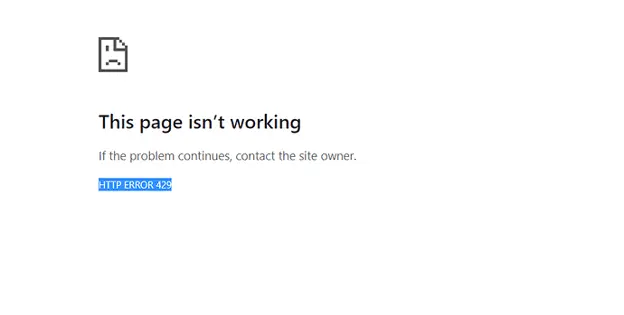
Why does the HTTP 429 error appear?
As we have been saying, the Error 429: Too Many Requests This error appears on our website when it receives too many requests from a single user within a given period of time. However, this can happen for a variety of reasons, which we will look at.
Server resource limits
A web server has certain CPU resource limits, memory and other resources. If your website exceeds these server-specific limits, a 429 error will appear on the user’s screen. These limits may be exceeded due to an unexpected traffic spike or because you are sharing a hosting plan with limited resources.
Brute-force attacks
The brute-force attacks These consist of a malicious attack designed to take your website down quickly without having to gain access to it. For example, a hacker might create a bot network who try to access your website by repeatedly testing different combinations of usernames and passwords. This would be a perfect example of a high number of requests within a short period of time, which would trigger a 429 error.
High volume of traffic
This 429 error may be caused by a an unusually high volume of traffic. Imagine for a moment the website of a sports news outlet on a Champions League match day. The sheer number of users it can receive during that period is staggering, which can trigger a 429 Too Many Requests error.
Non-optimised database
The databases, In many cases, they are not 100% optimised. There may be a lot of junk content, transient data or redundant tables, which inevitably increases their size. This can cause database queries to take longer to execute, exhausting server resources and resulting in an HTTP 429 error.
WordPress plugins
The WordPress plugins They are not always the best allies, as they can sometimes stop working and cause conflicts with other parts of your website. As in the previous cases, this can lead to high consumption of web server resources.
WordPress themes
It’s the same as with plugins: they can stop working and cause a Error 429.
Example code for a 429 error
Next, we would like to show you what the full text of a Error 429: Too Many Requests , as it provides us with a number of details about the reasons why the error occurred. Here is an example:
HTTP/1.1 429 Too Many Requests

Retry-After

: 3600

Content-Type

*: application/json

{

"error": {

"code": 429,

"message": "Too Many Requests: You have exceeded the rate limit. Please try again in 1 hour.",

"details": "You have made 500 requests in the last 10 minutes. The rate limit is 100 requests per 10 minutes. Please reduce the frequency of your requests.",

"retry_after": 3600

}

}*
In this case, the client made 500 requests in the last 10 minutes, when the limit was 100 requests. The header Retry-After It tells us that the website must wait one hour before making any further requests.
How do I fix error 429 (Too Many Requests)?
The Error 429 – Too many requestsThis causes obvious inconvenience: you cannot access either the website or its admin panel. However, there are a few solutions for HTTP error 429 which we’ll explain below. Keep an eye on Euroinnova!
Use a content delivery network (CDN)
To understand this measure, let’s define What is a CDN?. Essentially, it consists of a network of servers distributed across different locations around the world. If a user visits a web page, this CDN will connect them to the server closest to their location, thereby reducing the load on your web server.
Optimise your database
If the problem lies with your database, the solution seems clear: optimise it. But how do you go about it? For example, if you use WordPress, you can use plugins to clean up your database and improve its performance. At this point, you can remove unnecessary data, such as post revisions, spam in the comments section or other options.
Furthermore, databases can be repaired and optimised using the built-in functions in phpMyAdmin. However, for this task, I would need to know how to optimise a MySQL database.
Implement frequency limiting
The website owner can implement a speed limit, which prevents a client from making the requests it wants. This makes it less likely that you will exceed the speed limits set by the server.
For example, you can set the limit to 100 requests every 10 minutes, which would block or delay further requests if the user exceeds the limit. It is certainly a good way to prevent error 429 and brute-force attacks.
Change the URL for your website’s homepage
One of the entry points for brute-force attacks is the The login URL for your website. Let’s imagine for a moment that your website is built using WordPress. As a general rule, the URL for this type of website is usually www.dominio.com/acceder. This makes it very easy for a hacker to find; they simply need to instruct their bots to try to gain access.
A good way to prevent these brute-force attacks is by changing or hiding the login URL. As a general rule, this is very easy to do using WordPress plugins. A small change that could save you from a 429 error.
Switch to a default WordPress theme
When we install a custom theme If we make changes to the code, we could completely break the theme, overloading the server’s resources. For this reason, reverting to a default WordPress theme such as Twenty Twenty-One may be a good solution. If the problem goes away after this change, you’ll know what caused it.
Clear your browser’s cache
The HTTP error 429 it may also come from the cache. The fact is that outdated or corrupted data may be stored, which can cause errors when the page loads. Therefore, clear your browsing data, as this may resolve the problem.
Clear the DNS cache
The DNS or Domain Name System is responsible for storing information linking domain names to IP address assignments. However, this cache of DNS It can also become out of date, which will cause problems such as error 429. It is therefore important to clear the DNS cache regularly.
Set up a CAPTCHA system on your website
Here’s another way to prevent brute-force attacks: the system CAPTCHA or reCAPTCHA on the login page of your website. This security measure prevents bots, as they will have to pass a security challenge. This proves that there is a person behind the screen, rather than a machine.
reCAPTCHA differs from CAPTCHA in that it uses machine learning algorithms to detect and block login attempts. And how is this measure implemented? Through WordPress plugins, The setup is really straightforward.
Check the access logs and block the IP addresses
Ultimately, these brute-force attacks are generally carried out from a single IP address. Therefore, if you check the access logs in the control panel, you will be able to identify the offending IP address and block it. This will also go a long way towards preventing 429 errors on your website.
Deactivate all your WordPress plugins
There may be times when it is difficult to identify which plugin is causing problems on your website and triggering an HTTP 429 error. Therefore, one option might be disable all plugins at once whichever ones you have active, and enable them one by one until error 429 reappears. You’ll then know which plugin is infecting your web ecosystem.
If you can’t access your WordPress dashboard, you can also deactivate them from the file manager or FTP. All you need to do is rename the folder to something else. For example, ‘plugins.desactivated’. We’re referring to the folder containing your website’s plugins.
This would be the path: tusitioweb.com/public_html/wp-content/plugins




 Español
  English (UK)